
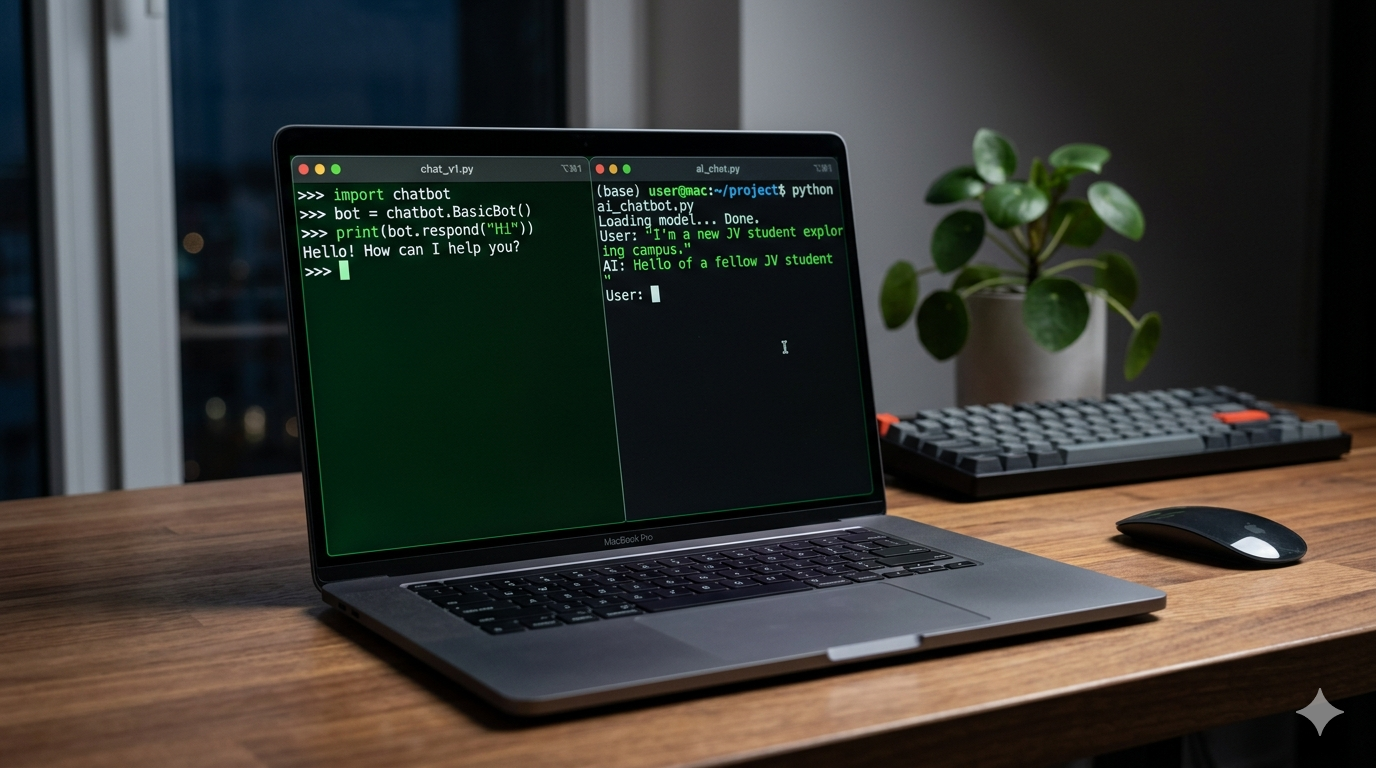
Build a working Python chatbot from scratch – beginner-friendly, no API key needed, with full code.
This is a simple AI chatbot Python project you can build from scratch – even if you’re a beginner or Class 10 student.
Why Build a Chatbot in Python?
I once needed a quick way to answer repetitive SEO questions (“what’s TTFB again?”). Instead of replying 50 times, I built a tiny chatbot.
In 30 minutes, you’ll have a working chatbot that can respond to users – no paid APIs, no fluff, just code.
It won’t replace ChatGPT. But it will work. And more importantly – you’ll understand how it works.
I tested this on a clean laptop – no fancy setup needed.
What You’ll Build Today
We’re building two versions:
Version 1 : Simple rule-based chatbot (offline, zero setup)
Version 2 : AI-powered chatbot (using a free open-source model)
By the end, you’ll understand how chatbots actually think (spoiler: mostly pattern matching + probability).
What You’ll Learn
- if/else logic (the backbone of “intelligence”)
- dictionaries for mapping responses
- loops for continuous chat
- input handling in Python
- (optional) using pre-trained AI models
Summary Comparison Table
| Feature | Version 1 (Rule-Based) | Version 2 (AI-Powered) |
|---|---|---|
| Difficulty | Beginner | Intermediate |
| Dependencies | None | transformers |
| Works offline | ✅ | ❌ |
| Response quality | Fixed | Dynamic |
| Time to build | 10 mins | 30 mins |
Version 1: Rule-Based Python Chatbot (No Libraries Needed)
This is where I recommend you start – even if you already know Python.
This version is basically “smart if-else with memory.”
Full Working Code
def chatbot():
    print("Bot: Hey! I’m your Python chatbot. Type 'bye' to exit.")

    while True:
        user_input = input("You: ").lower()

        if user_input == "bye":
            print("Bot: Goodbye! ")
            break

        elif "hello" in user_input or "hi" in user_input:
            print("Bot: Hello! How can I help you?")

        elif "your name" in user_input:
            print("Bot: I’m a simple Python chatbot.")

        elif "python" in user_input:
            print("Bot: Python is awesome for automation and AI.")

        elif "seo" in user_input:
            print("Bot: SEO + Python = unfair advantage ")

        else:
            print("Bot: Hmm, I don’t understand that yet.")

# Run chatbot
chatbot()
How It Works (Simple Breakdown)
- Infinite loop > keeps chat running
- input() > takes user message
- if/elif > checks patterns
- prints response
That’s literally your first chatbot.
No AI. No magic. Just logic.
Why This Matters
Most beginners skip this and jump to APIs.
Bad idea.
If you don’t understand rule-based logic, AI chatbots will feel like black magic.
Version 2: AI-Powered Chatbot Using HuggingFace (Free)
Now let’s upgrade.
Instead of hardcoding responses, we’ll use a pre-trained model.
This version actually “generates” responses instead of matching them.
Install Dependencies
pip install transformers torch
Full Working Code
from transformers import pipeline

# Load model
chatbot = pipeline("text-generation", model="microsoft/DialoGPT-medium")

def ai_chat():
    print("Bot: Hey! I’m an AI chatbot. Type 'bye' to exit.")

    while True:
        user_input = input("You: ")

        if user_input.lower() == "bye":
            print("Bot: Goodbye! 👋")
            break

        # Generate response
        response = chatbot(user_input, max_new_tokens=50, truncation=True, pad_token_id=50256)

        print("Bot:", response[0]['generated_text'])

# Run chatbot
ai_chat()
What’s Happening Here
We load a pretrained conversational model
It predicts the next best response
Keeps context using Conversation()
This is actual AI – not just rules.
Reality Check
First run will download ~500MB model
Needs decent RAM
Responses are better – but not perfect
Your chatbot still won’t pass a Turing test. That’s fine.
Setup: Run This on Your Laptop (First Time Only)
If Python is not installed, nothing will work. Let’s fix that first.
Step 1: Check if Python is installed
Open terminal / command prompt:
python3 --version
If you see something like:
Python 3.14.x
→ You’re good.

If you see a version like this, Python is already installed.
If not:
👉 Download from: https://www.python.org/downloads/
Step 2: Install required libraries (for AI version only)
pip install transformers torch
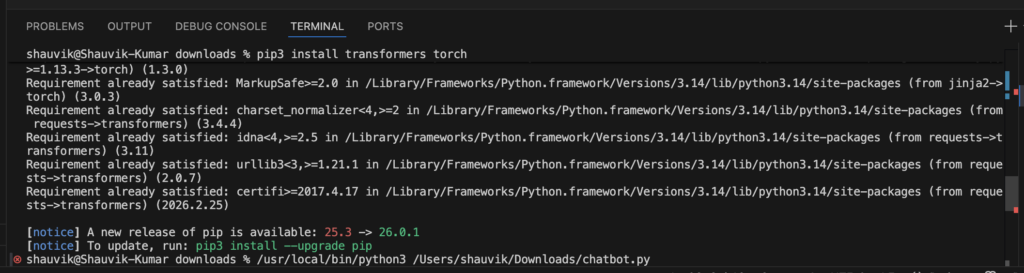
If you see something like this, you’re good to go.
Step 3: Create your chatbot file
- Open Notepad / VS Code
- Save file as:
chatbot.py
Paste the code from above.
Step 4: Run your chatbot
python3 chatbot.py

If this runs, you’ve officially built your first chatbot.
If you get an error with ‘conversational pipeline’, switch to text-generation – newer versions of transformers changed this.
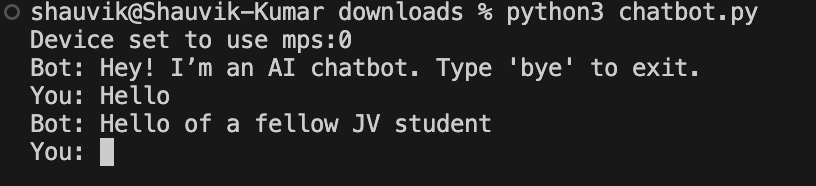
This response is generated by the model – not hardcoded like the rule-based version.
How to Run Your Chatbot
Step 1: Save the file
chatbot.py
Step 2: Run it
python3 chatbot.py
Step 3: Start chatting
If you see “Bot: Hey!” – you’re done.
Sample Conversation Output
Here’s what it looks like in real life:
Bot: Hey! I’m your Python chatbot. Type 'bye' to exit.

You: hello
Bot: Hello! How can I help you?

You: what is python
Bot: Python is awesome for automation and AI.

You: tell me about SEO
Bot: SEO + Python = unfair advantage 🚀

You: bye
Bot: Goodbye! 👋
5 Ways to Extend Your Chatbot
Once this works, things get fun.
This is where beginners turn into builders.
- Add more intents → Expand dictionary with more responses
- Automate responses → Connect to your automation scripts (check your Python automation article)
- Deploy your chatbot to Telegram → Use your existing Telegram bot guide
- Add voice input → Use speech_recognition
- Build a web UI → Use Flask or Streamlit
If you stop at terminal chatbot – you’re leaving 90% of the fun on the table.
FAQs
What is the difference between a rule-based and AI chatbot?
- Rule-based → fixed responses
- AI chatbot → generates responses
One follows rules. The other predicts language.
What’s Next?
If you’ve built this, you’re already ahead of most beginners.
Now level up:
- Turn this into a Telegram bot
- Add WhatsApp automation
- Build a UI
- Store chat history
Also check: your Class 10 Python project ideas article for more beginner-friendly builds.
If this is your first working chatbot – save it. This is your “I actually build things” moment.
How do I make a simple chatbot in Python?
Start with a loop + if/else conditions to match user inputs and return responses. That’s exactly what Version 1 does.
Can I build a Python chatbot without an API key?
Yes. Version 1 works fully offline with zero dependencies.
Is this chatbot project good for Class 10 students?
Yes – perfect, actually. It teaches logic, loops, and real-world application in one project.
What Python libraries are needed for a chatbot?
Rule-based → None
AI chatbot → transformers, torch
What is the difference between a rule-based and AI chatbot?
Rule-based → fixed responses
AI chatbot → generates responses
One follows rules. The other predicts language.
